

Zoom H3 VR Virtual Reality Audio Recorder
€279.00
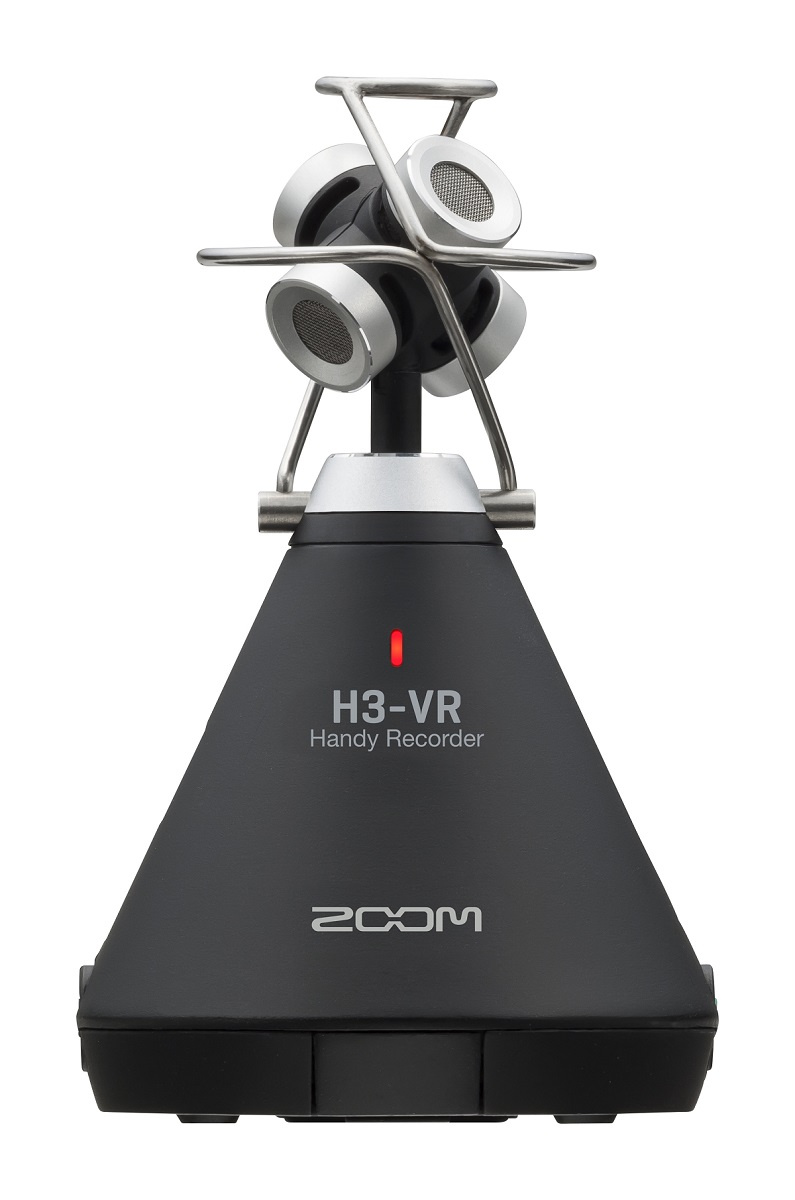
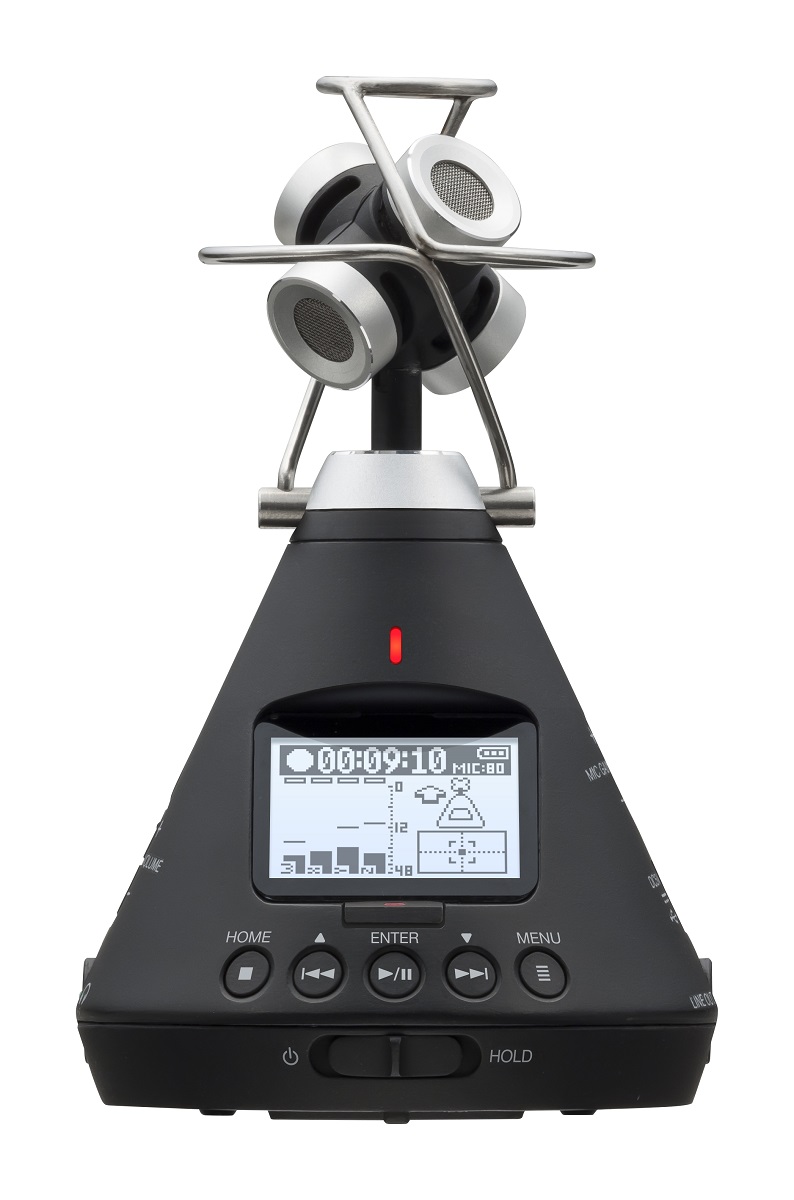
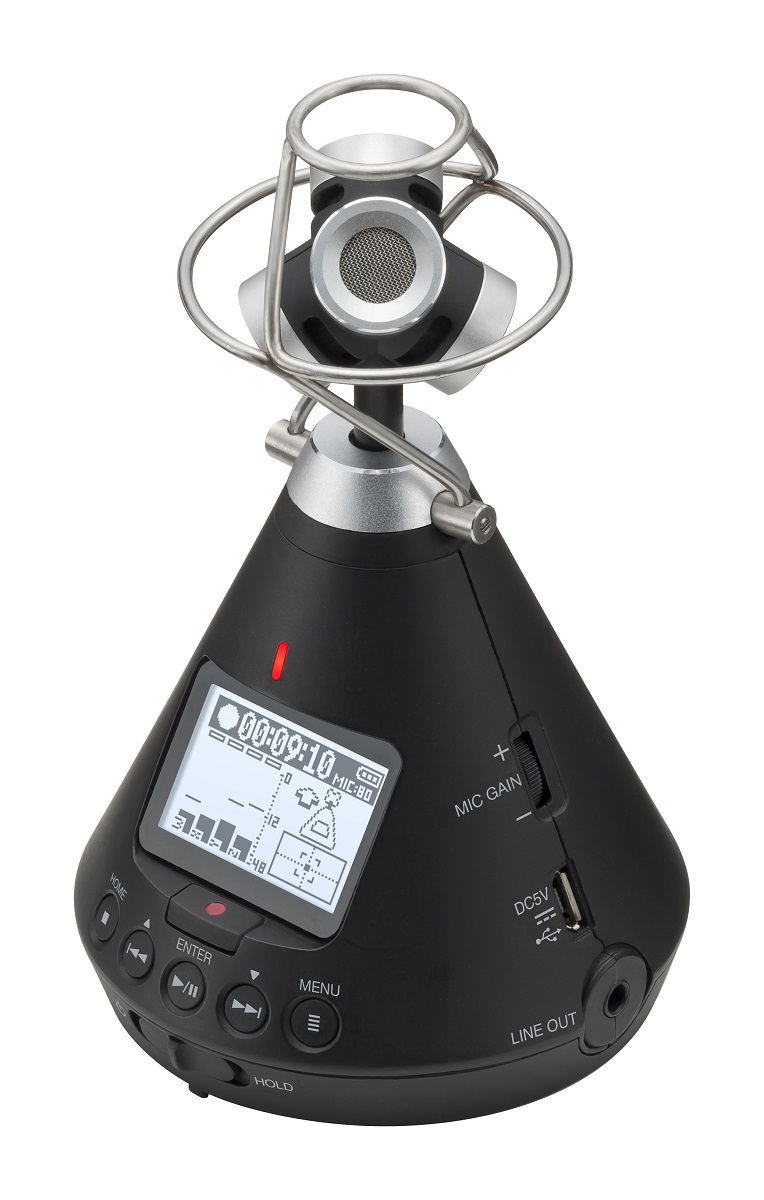
Zoom H3 VR Virtual Reality Audio Recorder

THE ZOOM H3-VR
VR AUDIO, YOU'VE ARRIVED.
Whether you’re a game developer, filmmaker or musician, virtual reality is the undeniable future of content creation. While 360-video is exploding in popularity, the ability to easily create 360-audio has lagged behind…until now.
One-Stop VR Audio
The Zoom H3-VR virtual reality audio recorder is the complete solution for capturing and processing spatial audio for VR, AR and mixed-reality content. With a built-in Ambisonic mic, recorder and decoder, the H3-VR puts 360-audio in the palm of your hand.
A New Way to go from A to B
In the past, capturing VR audio required a dedicated Ambisonic mic, a separate recorder and a computer for encoding the audio from raw Ambisonics A format to VR-ready Ambisonics B format. Now, with the H3-VR, all of the encoding and decoding is done on board, saving time, money and effort at every step.
Audio For Every Reality
Ambisonics Audio for VR
The H3-VR’s 4-capsule Ambisonic mic captures precise 360-degree VR audio recordings up to 24 bit/96 kHz. And without ever connecting to a computer, the onboard decoder allows you to export Ambisonics B-format files directly.
Binaural 3D Stereo
The H3-VR also records stereo binaural WAV files up to 24 bit/48 kHz. Stereo binaural provides a hyper-realistic spatial recording that enhances 2D productions with 3D audio.
Standard Stereo
The H3-VR even offers standard stereo recording for recordings that will be played out of speakers rather than headphones.
5.1ch Surround for Video
Free to download, ZOOM Ambisonics Player software can easily convert Ambisonics audio to a 5.1ch surround file that is pre-aligned to the proper speakers, and is exported to your video or audio editor for syncing with standard video.
Live StreamingÄ‚ËĂË‚¬Â¨ 360
The H3-VR also enables you to live stream events in 360 degrees so that wherever your fans are, they’ll have access to the best seats in the house.
Fits Anywhere. Captures Everything.
The H3-VR’s compact, conical design captures audio from multiple angles without getting in the way of the camera or the action.
Auto Mic Position and Level Detection make placing the H3-VR simple. Whether positioned upright, upside down, endfire or endfire inverted, the H3-VR automatically calibrates so your audio and video are already aligned for post.
Upgrade Your Game Experience
The slam of dungeon doors, growl of monsters or howl of the wind can make or break a player’s fantasy. With the ability to capture high-quality in-game audio, you can elevate your player’s experience to new levels.
Output Volume Controls
The H3-VR’s line out volume control lets you adjust the output volume to a DSLR camera, additional headphone, etc.
Headphone Jack
A dedicated headphone jack allows for stereo binaural monitoring of your audio while recording.Ä‚ËĂË‚¬Â¨
Dynamic Display
A directionally-responsive LCD screen provides a bright, clear display even when upside-down.
Transport Controls
The Home, Play/Pause, Forward, Reverse and Menu buttons are positioned for quick access.
Power/Hold Button
Lock your settings on the H3-VR while recording using the unit’s Hold function.
Precise Internal Clock
The H3-VR’s highly accurate internal clock with 0.5 ppm discrepancy reduces audio/visual drift.
Slate Tone/Sound Marker
Using the slate tone enables you to easily calibrate the H3-VR and camera audio levels. Use the sound marker to output a tone when recording starts to make syncing audio and video easy.Ä‚ËĂË‚¬Â¨
Built-in Limiter
The H3-VR’s advanced onboard limiter offers distortion-free signal at high volumes.
Low Cut Filter
The H3-VR’s adjustable low cut filter removes unwanted low-end frequencies.
Input Volume Gain
With the single-knob gain control, you can easily adjust the gains of all four mic capsules simultaneously for accurate, balanced 360-degree audio.
Power Options
Two AA batteries can power the H3-VR for over 11 hours. For longer shoots, the H3-VR can also use portable USB batteries or be plugged in via an AC adapter.
3.5mm Line Out
The H3-VR fits right in with your existing gear, featuring a dedicated line out for a wide range of 360 cameras or other external devices.
Lightweight/Portable Design
Weighing less 5 ounces (120g), the H3-VR is the perfect Ambisonics recorder to take on the go. And since H3-VR records directly to an SD card, there’s no need for external gear.
Monitoring & Playback
Monitor your audio live in stereo binaural or use the H3-VR’s onboard Ambisonics Decoding to simulate your recorded 360-experience during playback.
Streaming and More
Perfect for live streaming, video conferencing, direct recording and more, the H3-VR’s audio interface mode turns it into a USB 360 mic for your computer or stereo mic for your iOS device.
Out of the Shot But in Control
Staying out of the shot can be tricky when recording a 360-degree video, which is why the H3 Control App lets you remotely access transport controls, level settings, and metadata notes right from your iOS device.*
*Optional BTA-1 adapter required
360º Post-Production Made Easy
The H3-VR’s companion ZOOM Ambisonics Player software takes the work out of post-production by easily converting your Ambisonics files to Stereo, Binaural, 5.1ch surround and more. Play, trim, re-orientate and export your audio files in minutes.
Full Features
4 built-in mics arranged in an Ambisonic array
Full-sphere surround sound recording
Single-knob gain control of all input levels
Onboard Ambisonics A to B decoding
Three recording modes: Ambisonics, Stereo Binaural or Standard Stereo
Record up to 24bit/96kHz
Stereo binaural monitoring of Ambisonics signal
Headphone output and line output
Slate tone
Extensive metadata
Auto Mic Position Detection using 6-axis gyroscope (upfront, endfire,
upside-down, endfire inverted)
Level Function to ensure precise angle placement
Wireless iOS remote control available through the BTA-1 Bluetooth adapter
Onboard Ambisonics playback with audio rotation
Accurate internal clock with .5ppm discrepancy
USB 2.0 Audio Interface Mode
Zoom PC/Mac post-production software to play, change a direction, and convert
to binaural, stereo,and 5.1ch surround file
Powered by 2 AA batteries or USB bus power
Records to SD card up to 512GB
What's in
the Box
What's Included
H3-VR Handy Recorder
Foam windscreen
Dual mounting bracket
AA batteries
Optional Accessories
BTA-1 Bluetooth Adapter
WSU-1 Hairy Windscreen
Recording Media:
Cards compatible with microSD/microSDHC/microSDXC specifications
(Class 4 or higher)
Recording formats:
Ambisonics A, Ambisonics B (FuMa/AmbiX)
WAV 4ch poly (supports BWF and iXML): 44.1 kHz/16-bit, 44.1 kHz/24-bit, 48 kHz/16-bit, 48 kHz/24-bit, 96 kHz/16-bit, 96 kHz/24-bit
Stereo
WAV stereo (supports BWF and iXML): 44.1 kHz/16-bit, 44.1 kHz/24-bit, 48kHz/16-bit, 48 kHz/24-bit, 96 kHz/16-bit, 96 kHz/24-bit
Binaural
WAV stereo (supports BWF and iXML): 44.1 kHz/16-bit, 44.1 kHz/24-bit, 48kHz/16-bit, 48 kHz/24-bit
Display:
1.25" monochrome LCD (96×64)
Motion sensor:
6 axes (3-axis gyro, 3-axis acceleration)
Built-in Ambisonic mic:
4 matched unidirectional condenser mics
Maximum sound pressure input: 120 dB SPL
Mic gain: +18 – +48 dB
LINE OUT:
Connector: 3.5 mm stereo mini
Maximum output level: −10 dBu (1 kHz, 10 kΩ load)
PHONE OUT:
Connector: 3.5 mm stereo mini
Maximum output level: 20 mW + 20 mW (into 32Ω load)
USB:
Connector: microUSB
Mass storage operation
USB 2.0 High Speed
Audio interface operation
2 in/2 out (stereo/binaural input), USB 2.0 Full Speed
44.1 kHz/16-bit, 48 kHz/16-bit
4 in/2 out ( Ambisonics A/FuMa/AmbiX input), USB 2.0 High Speed
44.1 kHz/24-bit, 48 kHz/24-bit
Power:
2 AA batteries (alkaline, rechargeable NiMH or lithium)
AC adapter (ZOOM AD-17): DC 5V/1A (supports USB bus power)
Estimated continuous recording time using batteries:
48 kHz/24-bit, FuMa Rec Mode
 Alkaline batteries: about 11.5 hours
 NiMH batteries (1900 mAh): about 11.5 hours
 Lithium batteries: about 24 hours
• The above values are approximate.
• Continuous battery operation times were determined using in-house testing methods. They will vary greatly according to use conditions.
External dimensions:
76 mm (W) × 78 mm (D) × 123 mm (H)
Weight (main unit only):
120 g
You may also like…

Need Help Choosing?
Get in touch with a member of our team
Contact a member of our dedicated customer service team, and we will be happy to help you choose the right instrument for your needs.
Or text “Waltons Callback” with a short description of your query and a member of staff will call you as soon as possible to assist.
Can’t Get Through? Please see our list of contact numbers below
Head Office: 01 8207425
Blanchardstown Store: 01 9603232
Online Sales, Customer Service & Product Queries:
Fiona: 086-0284929 | 9.00am to 9.00pm Monday to Sunday
Niall 087 2267740 | 9.00am to 9.00pm Monday to Sunday
You must be logged in to post a review.